 $1 / employee / month
Onboarding Buddy Using Microsoft SSO
Pair every new hire with a buddy, automatically. No spreadsheet required.
Top brands trust Pyn





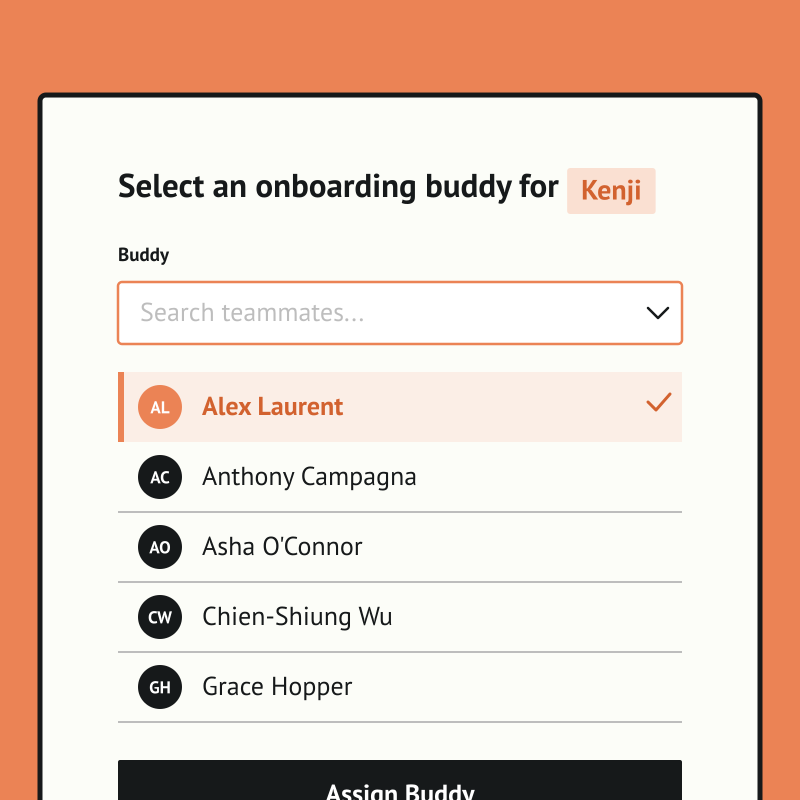
Pyn runs your onboarding buddy program automatically, so every new hire gets a buddy without HR chasing it each time. Managers are prompted to pick a buddy, the chosen person is notified with the context they need, and repeat buddies are flagged so the load spreads fairly. No spreadsheet required.
Because Pyn connects to Microsoft SSO, people reach Pyn through the same directory IT already trusts — no separate accounts to hand out or clean up. From there every message is personalized by role, team, and location, delivered where people already work — and nothing slips.
The payoff is faster ramp and a warmer welcome, especially for remote hires. Set it up once and it runs for every hire, and the same pairing works for role changes and returns from leave.
Sign into Pyn with Microsoft
Pyn supports single sign-on via Microsoft Azure Active Directory (also referred to as Azure AD or your AD account). Employees use the Microsoft credentials they already have. No separate password to create or remember.
How to connect
Does IT need to do anything for Microsoft sign-in to work?
Yes, once. An IT admin needs to log into Pyn via Microsoft and approve org-wide access. If your organization restricts app access, IT may need to allowlist the Pyn login URL first. After that, no ongoing IT involvement is required.
FAQs
Does Pyn support Microsoft Azure AD sign-in?
Yes. Employees can sign into Pyn using their existing Microsoft Azure AD (Active Directory) accounts.
Is Pyn secure?
Pyn is SOC 2 compliant. It only accesses what it needs to authenticate users. Nothing more.
Does Pyn also support Okta or Google sign-in?
Yes. Pyn supports sign-in via Okta, Google, and Microsoft. Use whichever matches how your organization manages identity.
Your HR stack, with superpowers.
Pick the tools you need. Launch in a day. Cancel anytime.